
FeeMaster Smart Exit Station
NT-FMS
'Controlled exit - ticket or smart card'
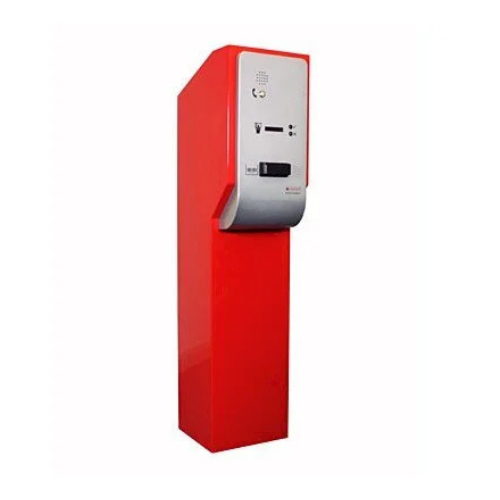
Designed to be used as part of the FeeMaster Smart Parking System. It prevents unauthorised vehicles leaving a car park or entering restricted areas.
PRODUCT FEATURES & BENEFITS
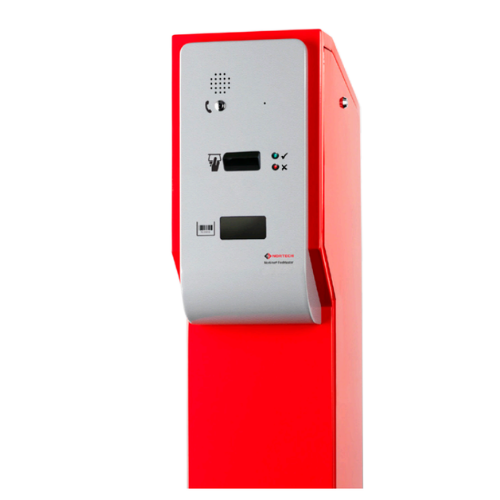
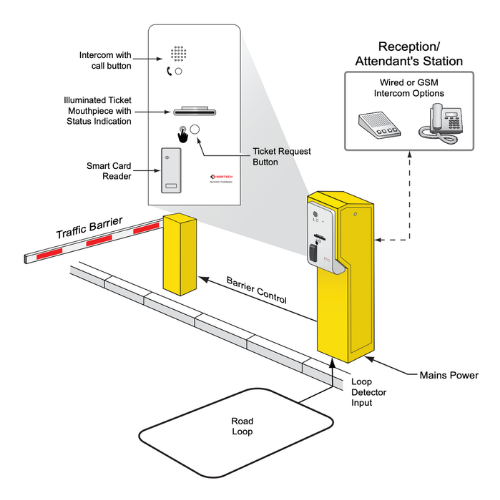
The FeeMaster Smart exit station is designed to be used as part of the FeeMaster Smart Parking System. It prevents unauthorised vehicles leaving a car park or entering restricted areas. Located at the exit of the car park or the entrance to a restricted area, it validates smart cards and exit tokens.
The main component of the station is a card capture reader that reads Mifare smart cards issued to authorised staff, customers, guests, etc. If the card is valid for use at that access point and has not expired, the exit station controller will give an open signal to the associated barrier. The card may be captured on expiry and/or on the last day of validity. The station can also be programmed to capture lost or stolen cards.
The exit station is equipped with a barcode scanner to read exit tokens issued by the FeeMaster Smart attendant’s console, as well as entry tickets issued at the entry station. Each ticket is valid for single use at the exit station during the validity period (or ‘grace’ period) assigned to it. The exit station controller checks the details on the barcode ticket and sends an open signal to the associated barrier, turnstile, etc., when a valid ticket is identified.
Features
- Reads Mifare smart cards
- Checks validity information against real-time clock
- Up to 4000 card numbers can be validated
- Card capture for expired cards and lost and stolen cards
- Option to capture cards on last day of validity
- Barcode exit token read/validation
Connect
Contact Us
+44 (0)1633 485 533
.svg) Product Catalogue
Product CatalogueSpecifications
electrical
| Supply voltage: | 240V AC (Low voltage adaptors included) |
physical
| Housing: | Painted steel pedestal with side access panel. |
| Standard Fittings: | Card Capture reader, card collection tray, barcode scanner, exit station controller, power adaptors and heater. |
| Optional Fittings: | Aiphone compatible intercom slave unit, mounting brackets for Telguard GSM intercom. |
| Overall Dimensions (mm): | 1200 x 360 x 275 (H x D x W) |
outputs
| Open Signal: | Voltage free relay contacts (30V DC, 2A) |
Comprehensive Parking Administration and Revenue Analytics for Multi-Site Operations
The FeeMaster Smart Software delivers powerful administration capabilities for parking operations at hotels, hospitals, retail parks and visitor attractions. Running on standard Windows PCs, this management application connects to FeeMaster Smart consoles to configure tariff structures, manage authorised operators, and analyse transaction data. The software transforms parking operations from standalone fee collection into a fully auditable revenue management system with detailed reporting capabilities.
Parking managers at multi-console sites particularly benefit from the software's ability to configure consistent tariff programmes across all stations while maintaining individual transaction logs. Three tariff types accommodate different pricing strategies: Standard fixed rates for simple daily/hourly charges, Variable rates that adjust based on duration, and Matrix rates that change by time of day and day of week. Transaction reports can be filtered by operator and event type, then exported as CSV files for integration with financial systems and further analysis.
.svg)
.png)

Flexible Tariffs
Three tariff types (Standard, Variable, Matrix) accommodate any pricing strategy from simple daily rates to complex time-based schemes.

Transaction Analysis
Filter and export transaction records by user and event type for financial reconciliation and operational insights.

User Management
Add, remove and modify authorised console operators with full administrator control over access rights.

Easy Connection
Connect permanently for real-time monitoring or temporarily for configuration updates via USB/RS485 adaptor.

Three tariff programmes are available: Standard (fixed hourly and daily rates across 3 levels), Variable (rates that change based on length of stay), and Matrix (rates that vary by time of day and day of week).
The software connects via RS485 through a USB adaptor and interface cable that plugs into the rear of the console. You can connect permanently for real-time transaction monitoring or temporarily for configuration and log downloads.
The software provides event reporting filtered by user and/or transaction type. Reports can be exported as CSV files for further analysis in spreadsheet applications or import into financial systems.
The software runs on standard specification PCs with Windows 7 or later. No special hardware requirements beyond a USB port for the RS485 adaptor connection.
Yes, the software allows you to configure the text and formatting that appears on printed receipts, exit tokens, and the customer fee display connected to the console.
Case Studies
GET TRAINED. GET CONFIDENT. GET INSTALLING.
Related Products
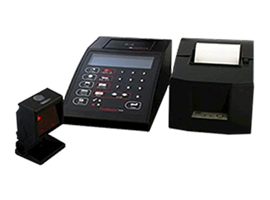
FeeMaster Smart Console
Provides a simple and cost-effective way of managing car par...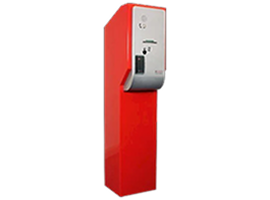
FeeMaster Smart Entry Station
Designed to be used as a means of recording the date and tim...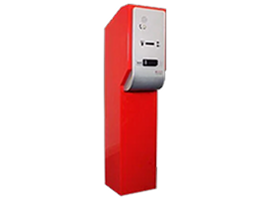
FeeMaster Smart Exit Station
Designed to be used as part of the FeeMaster Smart Parking S...
NorParc Counting Software
Windows based level counting and parking guidance system tha...