

Nortech — People & Vehicle Access Solutions

Solutions

Lift access control systems for floor-by-floor security

A lift access control system decides which floors each cardholder can reach, so a shared building can give every tenant, guest or department the floors they need and nothing more. It works through standard Nortech CRC22x controllers and readers managed in Norpass3, wired into the lift's floor buttons, its call button or the lift lobby doors.
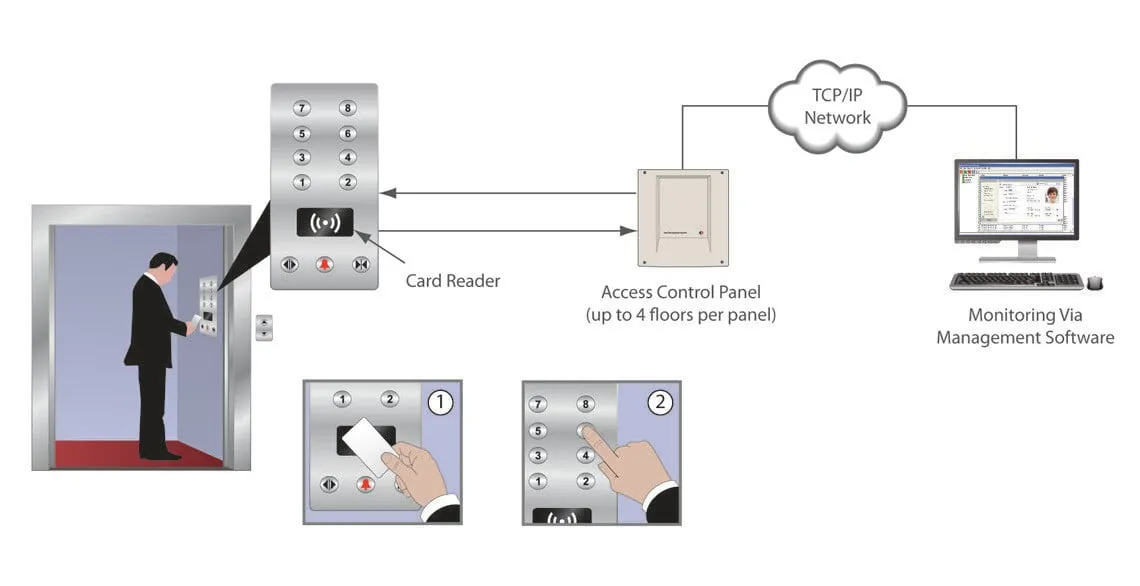
Lift access control system diagram: a card reader in the lift car's button panel, an access control panel handling up to four floors, and monitoring software over a TCP/IP network

What is a lift access control system?

A lift access control system, also called elevator access control, links a building's access control to its lifts so that people can only reach the floors their card allows. It works in one of three ways: by controlling the lift lobby doors, the lift call button, or the floor buttons inside the lift car.

In a building shared by several companies, the tenant on the second floor can keep other tenants' staff and visitors off their floor. A hotel can limit bedroom floors to guests and staff. Floors that anyone may use, such as a ground-floor reception, stay free for everyone.
How lift access control works

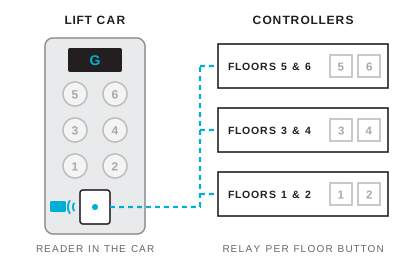
  1. Step 1: a card presented at the reader in the lift car, with the card data reaching all three floor controllers and every floor button still locked 1

    Card at the lift reader

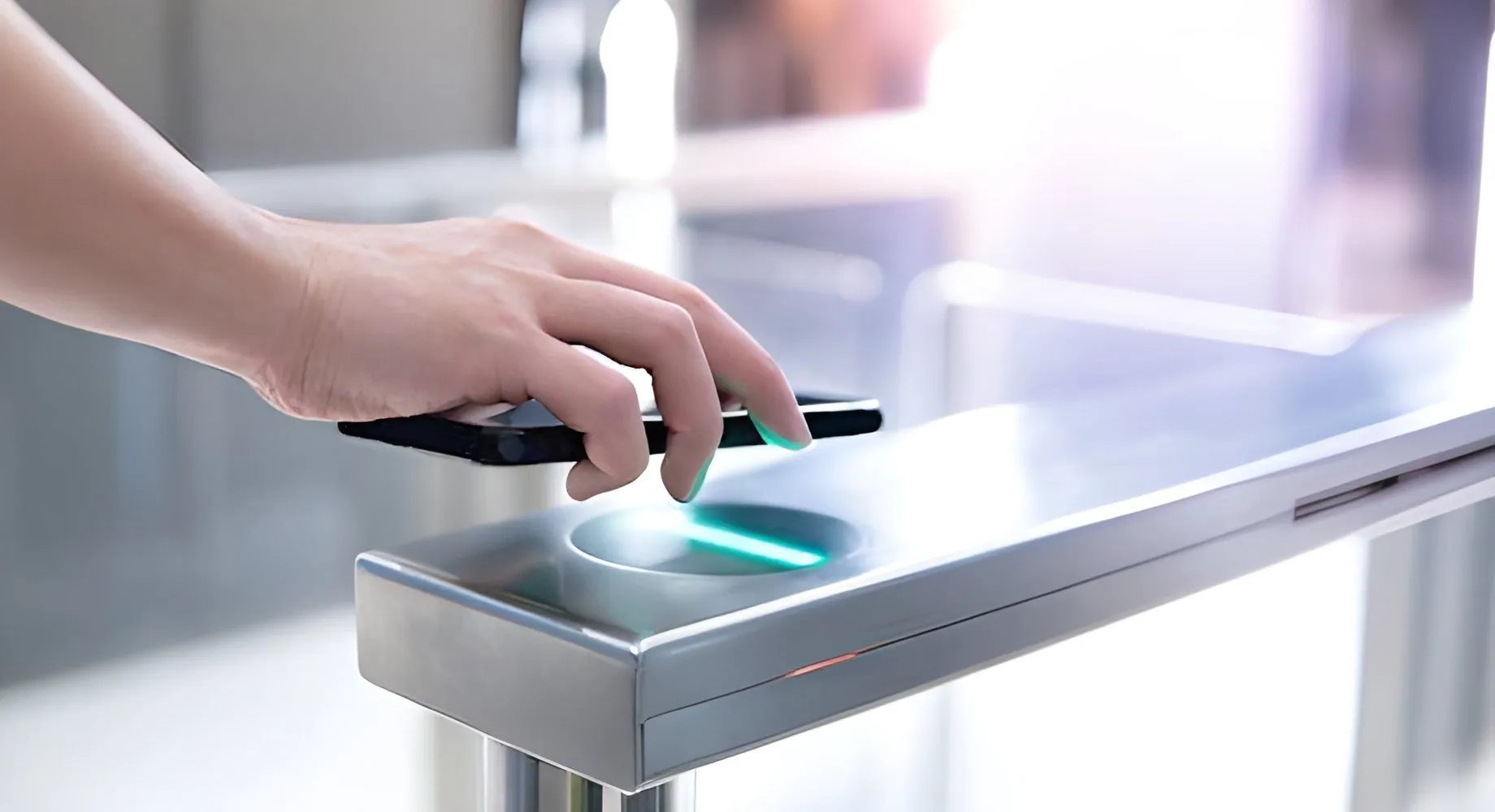
    Inside the lift car, the user presents their card to the reader on the button panel. The reader's data lines run to every lift controller in parallel, so each controller sees the same card.
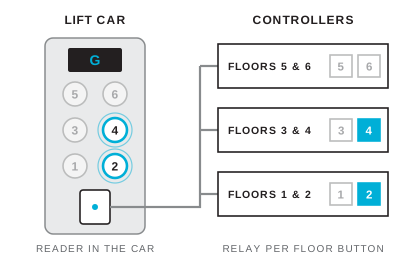
  2. Step 2: the relays for floors 2 and 4 close, so the floor 2 and floor 4 buttons in the lift are enabled and the rest stay locked 2

    Their floors are enabled

    Each controller looks after up to two floors. Where the card's access level includes a floor, that controller closes the relay wired to the floor button, for the strike time set in Norpass3.
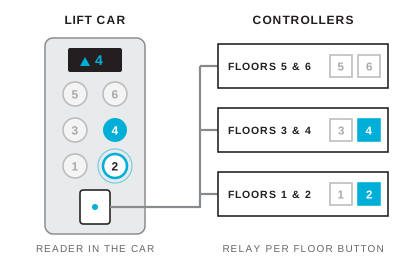
  3. Step 3: the user presses floor 4, one of the enabled buttons, and the lift sets off for floor 4 3

    They choose a floor

    Only the enabled buttons respond, so the lift takes the user to one of their own floors. The strike time is set from the lift manufacturer's data.
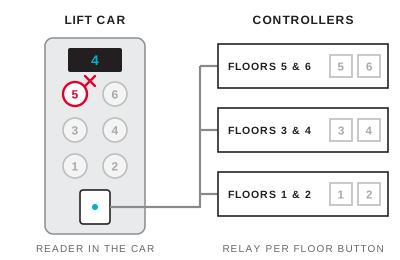
  4. Step 4: with the strike time over, all relays are open again and pressing floor 5, which the card does not allow, does nothing 4

    Every other floor stays locked

    Buttons for floors outside the card's access level never respond, and once the strike time runs out every button returns to locked until the next card.

Each floor is set up in Norpass3 as a door named after its floor, and the floors are added to cardholders' access levels alongside the doors they use. Once programmed, the lift controllers can be left to run offline. The wiring and set-up are in application note AN-0506, listed under Documents.

Three ways to control lift access

AN-0506 describes three methods. They can be combined, for example floor buttons in the lift with readers on the doors of the most restricted floors.

MethodWhat it controlsHow it is wiredSuits
Lift lobby doorsAccess to and from the lift lobby on each floor. Someone who gets into the lift is confined to the lift and its lobbies.Readers on the lobby doors, set up as standard doors, with free exit back to the liftBuildings where every floor has a lobby door
Lift call buttonWho can call the lift. Once inside, any floor can be selected.A reader replaces the call button, and a relay output from the access control panel replaces the button's contactsSites where using the lift at all is the restriction
Individual floorsWhich floor buttons work for each cardholderA reader in the lift car and a controller relay wired to each floor buttonMulti-tenant offices, hotels, restricted departments

Lift access control hardware

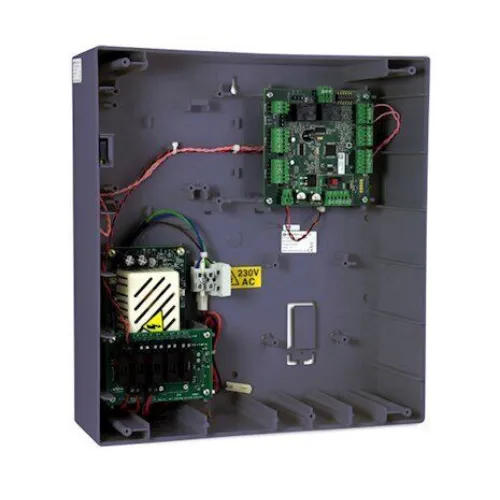
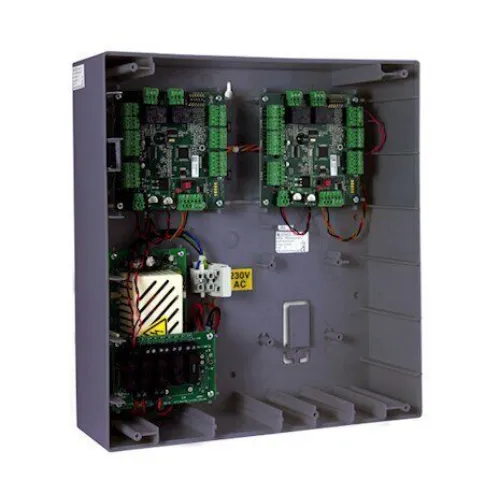
  • Lift controllers: each two-door controller module switches up to two floors, so a four-door panel such as the CRC220-4 covers up to four. Add panels in parallel for more floors. The relay contacts are rated at 2 A at 30 V DC, and the CRC22x controllers are designed and manufactured in South Wales.
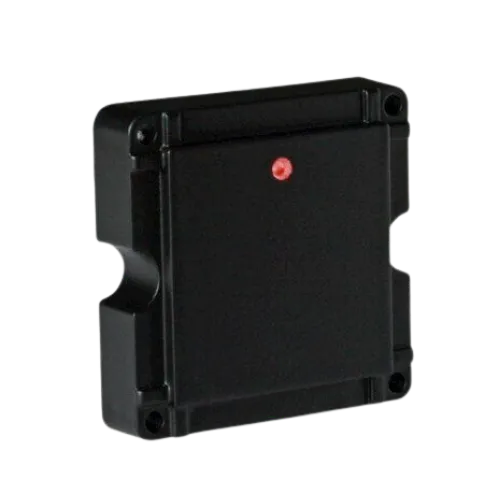
  • Lift reader: one reader in each lift car, wired to every controller for that car in parallel (data lines and ground to all of them, power from one). The panel mount reader fits behind a faceplate with 48 mm hole centres, which suits a car button panel, and reads cards at up to 50 mm depending on the card.
  • Door readers and exit buttons on the lift lobby doors, for the lobby-door method: see the proximity readers.
  • Software: Norpass3, licence-free, over TCP/IP or RS485.

Working with the lift company

The floor-button method is a hardware integration: the access control relays sit in the floor button circuits and the lift's own controller is left as it is. Agree these points with the lift company before installation:

  • How the floor buttons are wired. Normally open buttons go in series with normally open relay contacts; normally closed buttons go in parallel with normally closed contacts.
  • The button voltage, which must not exceed 30 V.
  • The strike time, meaning how long a button stays enabled after a card is read. It is set in Norpass3 from the lift manufacturer's data, up to 240 seconds.
  • A suitable location for the controllers, with cable routes to the car's buttons and reader.
  • Some lift controllers can take access control through their own operating system instead. AN-0506 covers the hardware method only, so talk to our technical team if the lift company proposes that route.

Fire alarm and emergency operation

AN-0506 sets each lift controller's Fire Input Action to No Action, so a fire alarm doesn't enable every floor button. What the lift itself does in a fire, such as returning to the ground floor, is set by the lift company, so agree it with them and with the site's fire risk assessment. On the lobby-door method, the door controllers' fire alarm inputs release the lobby doors as normal.

Managing lift access in Norpass3

  • Floors in access levels: each floor is a door in Norpass3, added to the access levels of the people who need it alongside the doors they use
  • Open floors on a schedule: a floor everyone may use at set times, such as a reception floor in office hours, is set to unlocked for those periods (application note AN-05023)
  • Offline operation: once programmed, the lift controllers can be left to run on their own
  • One card for doors and lifts: the same card opens the doors a person is allowed through and enables their floors in the lift

What affects the cost of lift access control

  • The method: lobby doors, the call button or individual floors
  • The number of floors, since each controller module switches up to two
  • The number of lift cars, since each car has its own reader and button wiring
  • The lift company's time to wire the floor buttons and run cables to the car
  • Whether the lifts join an existing Norpass3 system. Norpass3 is licence-free, so there is no software licence to buy either way

We supply through installers and distributors, so the price comes from the installer after a site survey. Our sales team can help put the equipment list together: sales@nortechcontrol.com.

Applications

  • Multi-tenant office buildings
  • Companies with restricted departments
  • Hotels, for guest bedroom floors
  • Department stores with office floors

Benefits

  • Restricts each cardholder to the floors they need
  • Keeps other tenants and visitors off a company's floor
  • Leaves unrestricted floors free for everyone to use
  • Extends an existing Norpass3 access control system to the lifts
  • Keeps working offline once programmed
  • Uses one card for doors and lift floors

Request a quote

Send us a description of the project or the products you need and we'll aim to quote within 48 hours.

Request Quote

Lift access control FAQs

How do you use a lift access card?
Step into the lift, present your card to the reader on the button panel, then press your floor while the buttons are enabled. Only the floors your card allows will respond; the rest stay locked.
What are the different types of elevator access control?
There are three: controlling the lift lobby doors on each floor, controlling the lift call button so only cardholders can call the lift, and controlling the floor buttons inside the lift so each card enables only its own floors. They can be combined.
Is lift access control the same as a lift control system?
No. A lift control system is the lift's own controller, supplied and maintained by the lift company. Lift access control sits alongside it and decides who can use which floors, through relays in the floor button circuits or readers on the lobby doors.
Will lift access control work with my lift?
The hardware method in application note AN-0506 works with floor buttons at 30 V or less: relay contacts are wired in series with normally open buttons or in parallel with normally closed ones. The lift company confirms the button wiring and the strike time for their lift.
Can some floors stay open to everyone during the day?
Yes. A floor can be set to unlocked in Norpass3 for set periods, such as a reception floor during office hours, and go back to card-only outside them.
Does lift access control keep working if the network goes down?
Yes. Once programmed, the lift controllers can be left to run offline, checking each card against the access levels they hold.
How much does an elevator card access system cost?
It depends on the method, the number of floors and lift cars, and the lift company's wiring time. Norpass3 is licence-free, so there's no software licence to add. The price comes from the installer after a site survey.

Related products

Request Quote

Solution: Lift Access Control

Loading the form…

We're here to help

Call +44 (0)1633 485 533 or Email Us