
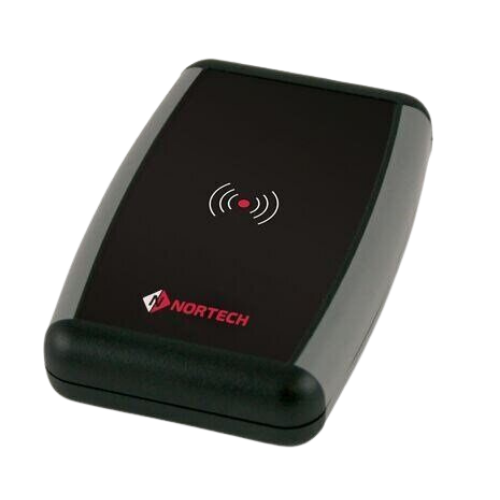
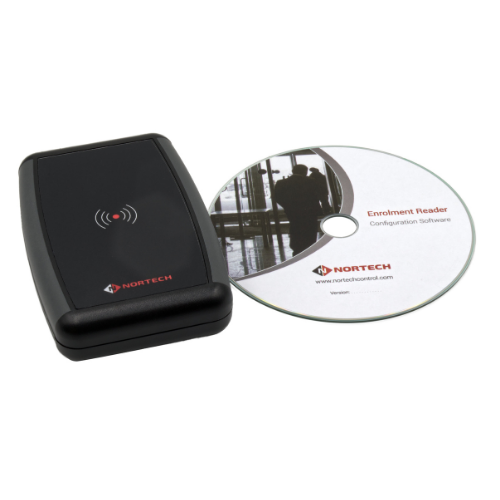
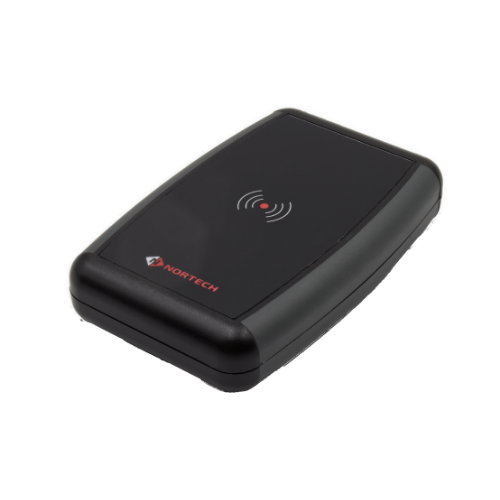
Desktop Proximity Reader
DT1
'Convenient Desktop Enrolment '
Supports most card reader technologies and software applications.
PRODUCT FEATURES & BENEFITS
Nortech's desktop reader can be used to input data from proximity cards, smart cards or barcodes directly into access control software running on a PC or into databases, spreadsheets and other PC software applications.
The compact DT1 desktop reader is available in versions covering many proximity and smart card formats. Any sequential section of a card number can be output to the PC.
features
- Compact desktop unit
- No installation required
- Connects to PC via a USB port
- Inputs card data directly into a PC application window
- Configurable via user-friendly software
- Selectable data output format
- Selectable terminating character
- Choice of integral reader technologies
- Supports both Wiegand and Clock & Data card data formats
Connect
Contact Us
+44 (0)1633 485 533
.svg) Product Catalogue
Product CatalogueSpecifications
electrical
| Supply Voltage: | Powered via the USB port on the PC |
physical
| Dimensions (mm): | 118 x 79 x 27 (L x W x H) |
inputs/outputs
| PC Interface: | USB2.0 (backward compatible) |
| Reader compatibility: | Wiegand: up to 80 bits input from the reader, up to 32 bits output as the card number Clock & Data: up to 40 digits input from the reader, up to 10 digits output as the card number |
| Termination Characters: | Selectable; Carriage Return, Tab or square bracket |
operational
| Internal Buzzer Operation: | On/off selectable |
Streamlined Card Enrolment for Reception Desks and Security Offices
The DT1 desktop reader transforms card enrolment from a time-consuming manual process into a simple tap-and-capture workflow. Positioned at reception desks, HR departments, or security control rooms, the compact USB-powered unit reads proximity cards and smart credentials directly into access control software, membership databases, spreadsheets, or any PC application with an active cursor.
This eliminates transcription errors when registering new employees, visitors, or club members, while dramatically accelerating the credential issuance process for organisations processing high volumes of card registrations.
Available in multiple technology variants—from standard 125kHz EM to secure 13.56MHz Mifare and LEGIC—the DT1 ensures compatibility with existing credential infrastructure. Security managers can select the exact card format they need, while the configurable output settings allow any sequential section of a card number to be captured. For environments requiring exotic or proprietary reader technologies, the larger DT2 enclosure accommodates customer-supplied third-party readers using Wiegand or Clock & Data interfaces.
Both models feature selectable termination characters for seamless integration with software expecting specific input formats.
.svg)
.png)

USB Powered
Draws power directly from any USB port—no external power supply or complex wiring required for instant deployment.

Multi-Technology
Available in EM, Hitag, DualProx, ISO 13.56MHz, Mifare, and LEGIC variants to match your credential system.

Configurable
User-friendly software allows selection of output format, card number section, and termination characters.

Plug-and-Play
No installation required—simply connect to a USB port and begin enrolling cards into any PC application.

The DT1 connects via USB 2.0 (backward compatible) and draws all necessary power from the USB port. It appears as a keyboard input device, typing card data directly into any active application window.
Standard variants include: DT1-EM1 for 125kHz EM cards, DT1-HT1 for Hitag 1, DT1-DP1 for PAC fobs plus EM, DT1-ISO for 13.56MHz serial numbers (LEGIC Advant, Mifare, iCLASS, ICODE, Tag-it 2), DT1-MIF for secure Mifare sectors, and DT1-LEG for LEGIC Prime/Advant segments.
The DT1 (118 x 79 x 27mm) includes an integral reader in a compact housing. The DT2 (155 x 120 x 48mm excluding reader) accommodates customer-supplied third-party readers for technologies not covered by the DT1 range, requiring the reader to be free-issued by the customer.
The reader accepts Wiegand (up to 80 bits input, 32 bits output) or Clock & Data (up to 40 digits input, 10 digits output) from the card. Output termination characters are selectable: Carriage Return, Tab, or square bracket.
The DT2's interface is USB-powered, which is suitable for attached readers requiring 5VDC at up to 150mA. If the integrated third-party reader requires higher voltage or exceeds 150mA current draw, an appropriate external PSU must be connected.
Case Studies



GET TRAINED. GET CONFIDENT. GET INSTALLING.
Related Products
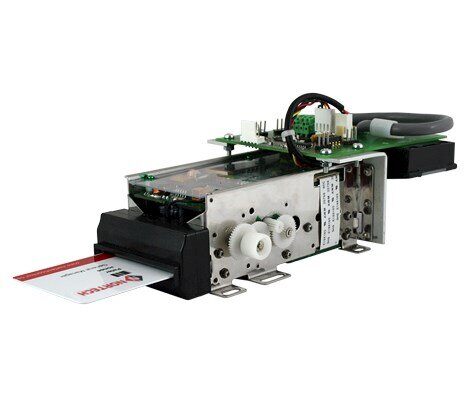
Access Control Card Validation & Capture Station
The Access Control Station provides an elegant access contro...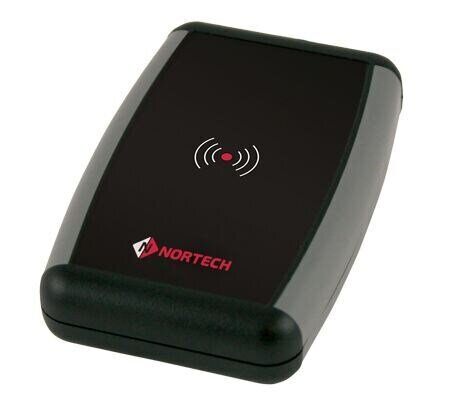
Norpass3 Access Control Software
Together with Nortech’s modular access control panels, Norpa...