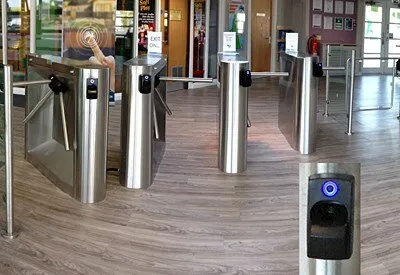
DeltaQuest Enhancing Access Control at Newport Live Leisure Sites
The client Newport Live is a charitable trust which provides sporting, leisure, theatre and cultural activities in...
Read more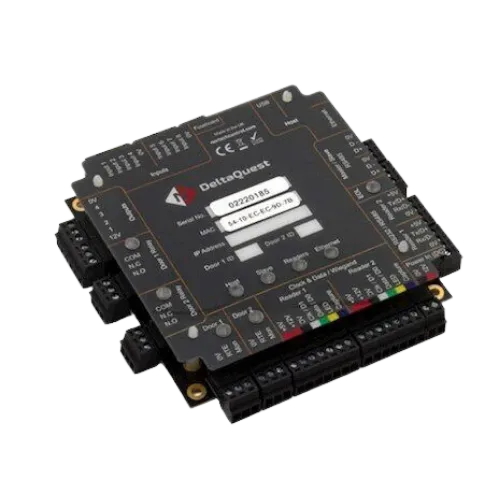
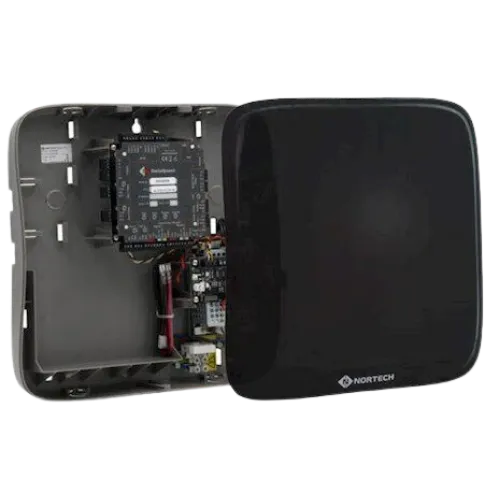
DQ-S2-PX
'Versatility to support access control and membership applications'
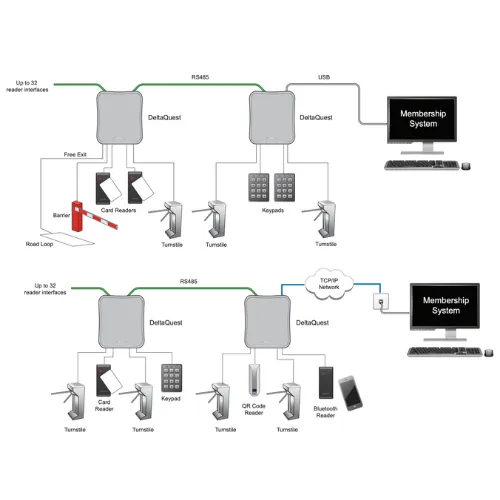
The DQ-S2-PX DeltaQuest universal OEM 2-door access controller PCB can be fitted into a third-party housing to provide I/O support for PC-based access control or membership software that needs to manage access points. Up to 32 access points that use ID devices such as card readers and keypads can be supported via a single USB port or a TCP/IP network connection.
Each reader control module can manage up to two ID devices and operate their associated barriers or turnstiles via robust output relays.
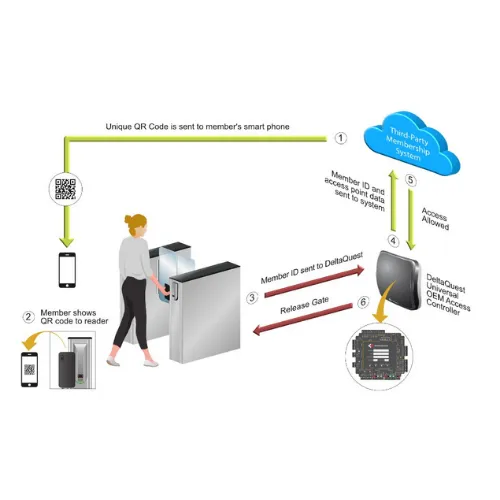
A member presents a card, fob, QR code or wallet pass at a reader. The DeltaQuest module sends the reader's identity and the credential string to your software, for example R1 plus the ID, and holds no member data itself. Your software checks the member and answers allow or deny. On allow, DeltaQuest fires the relay for that reader and the turnstile, door or barrier opens. Your platform keeps the entry log.
The DeltaQuest is ideal for use in the leisure industry when combined with third-party membership software.
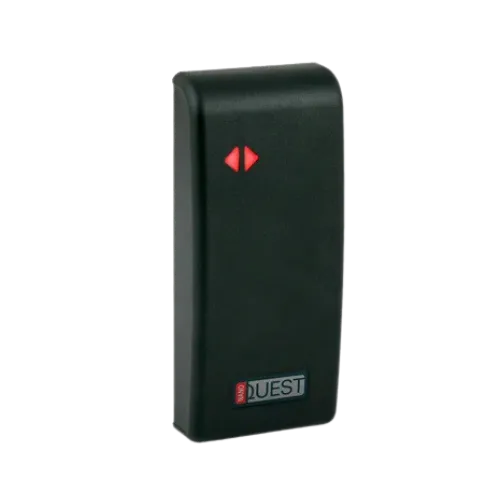
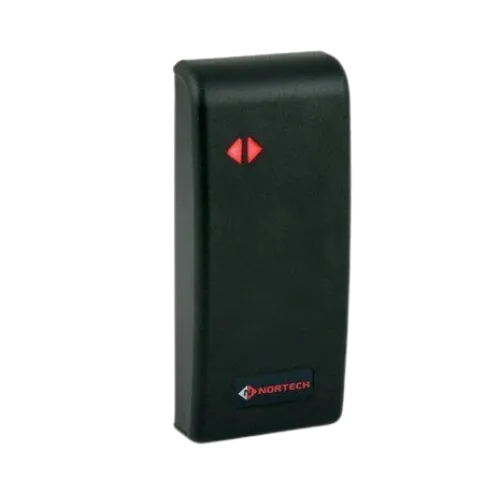
The DeltaQuest is compatible with all Nortech’s reader technologies and can support many third-party readers and keypads.
DeltaQuest reads the credential and fires the relay. Every allow or deny comes from your platform. There is no Nortech cloud in the loop and no second member database to keep in sync: your software stays the system of record and keeps the entry log.
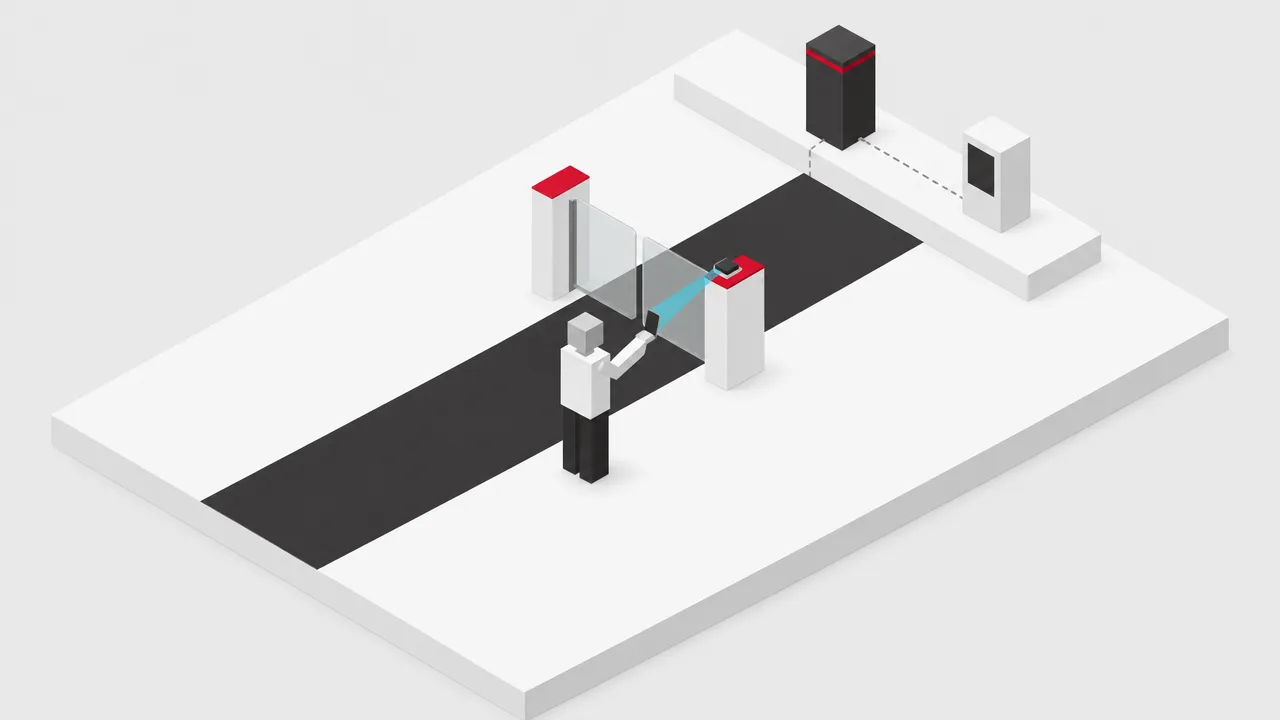 1
1 A card, fob, QR code, barcode, NFC credential or wallet pass at a reader on the turnstile, door or barrier. Any reader with a standard output works.
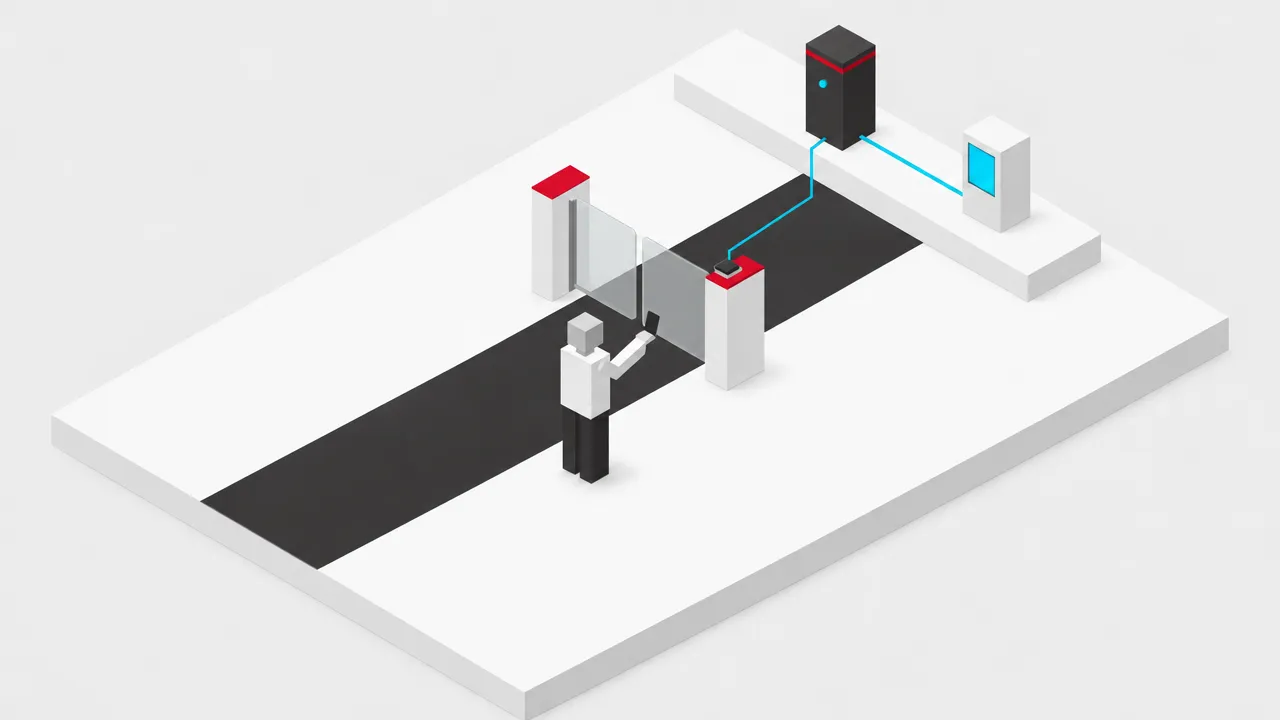 2
2 The module sends the reader identity and the credential string to the host, for example R1 plus the ID, over TCP/IP or USB serial. It holds no member data.
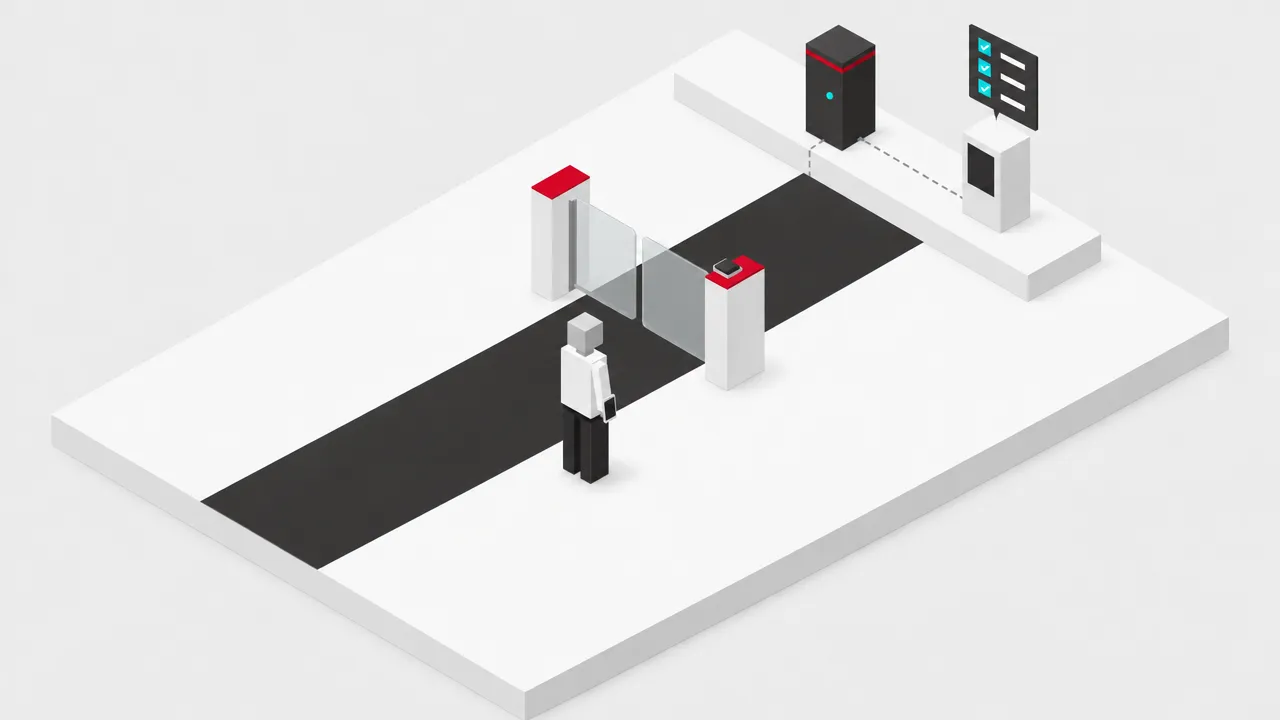 3
3 Your platform checks membership, payment status and what that member may enter at that location. Entitlement rules and logging stay in your platform.
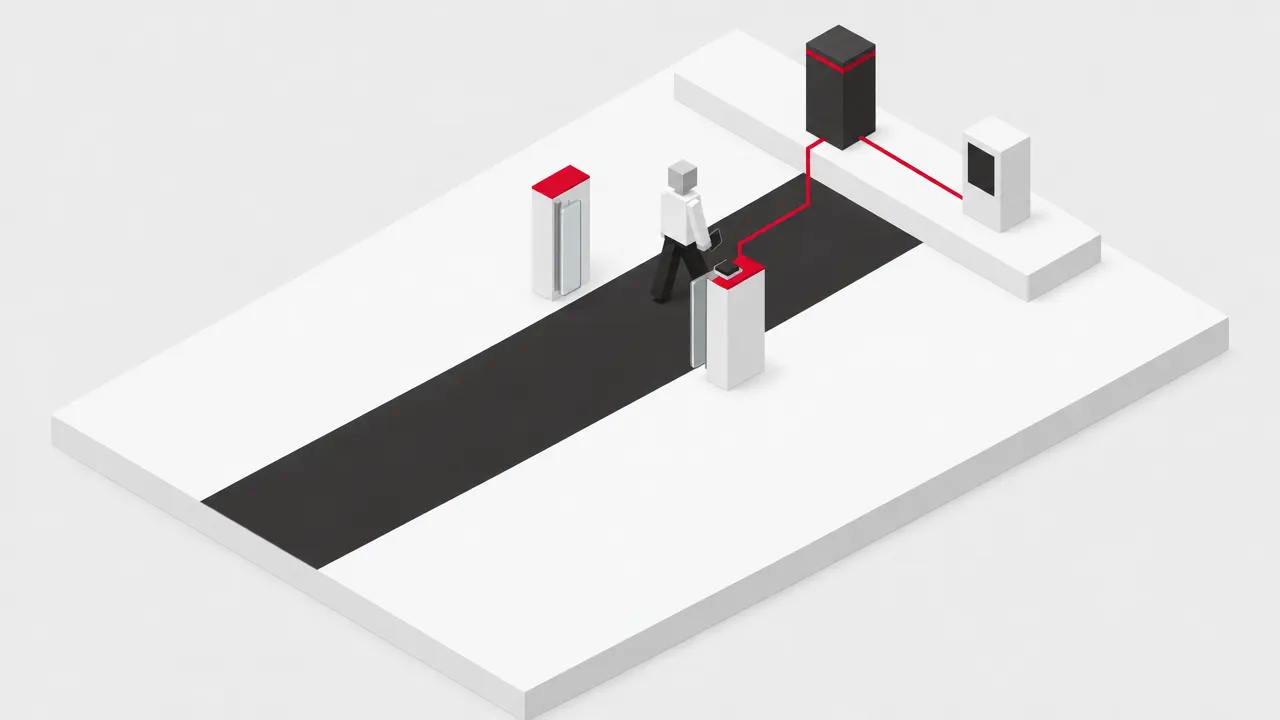 4
4 DeltaQuest fires the relay for that reader and the turnstile, door or barrier opens. Your platform keeps the entry log.
Building the integration yourself? Your team builds against the DeltaQuest command protocol with our documentation and engineering support during build and test. The documentation is free and the operator buys the hardware once. Ask for the protocol documentation and a test controller ›
| Host connection | TCP/IP or USB serial |
|---|---|
| Access points per host connection | Up to 32 |
| Readers and relays per module | 2 |
| Credential length | Up to 64 characters (32 typical); letters and digits |
| Keypad PINs | Up to 15 digits |
| Reader formats | Wiegand, Clock & Data, RS232 (including QR, barcode, NFC and wallet-pass readers) |
| Message to host | Reader identity and credential string per scan; no member data held on the controller |
| Offline behaviour | Offline mode, configured per site |
| Required Power Supply | 12VDC @ 1 amp (max) |
|---|---|
| Current Draw | Typically 200mA @12V DC |
| Reader supply | 12V DC or 5V DC (200 mA max. @ 12V) |
| Dimensions (mm) | 125.5 x 125.5 x 23 (H x W x D) |
|---|---|
| Cable Termination | USB: Mini USB type-B socket TCP/IP : RJ45 socket Other: Plug-in terminal blocks |
| Output relays | Voltage free changeover relay per reader, rated at 2A @ 30V DC. Variable output times driven by software |
| Request to Exit | Ground activated input per reader, configurable operation time from 0.5 to 10 seconds |
| Auxiliary Outputs | Open-collector output per reader |
| PC connection | USB: USB 2.0 A plug to Mini type-B plug lead, or TCP/IP - follow standard data networking recommendations |
|---|---|
| Master/Slave RS485 | Cabling Belden 9729 or equivalent (1200m max) |
| Reader Cabling | Belden 9536 or equivalent (25m max for RS232 reader, 100m max for C&D or Wiegand reader) |
| Operating temp. | 0°C to 50°C |
|---|---|
| Storage temp. | -20°C to 70°C |
| Relative humidity | 95% non-condensing |
Datasheets, manuals and guides for the DeltaQuest OEM 2-Door Access Controller PCB. Every file is a PDF and opens in a new tab.
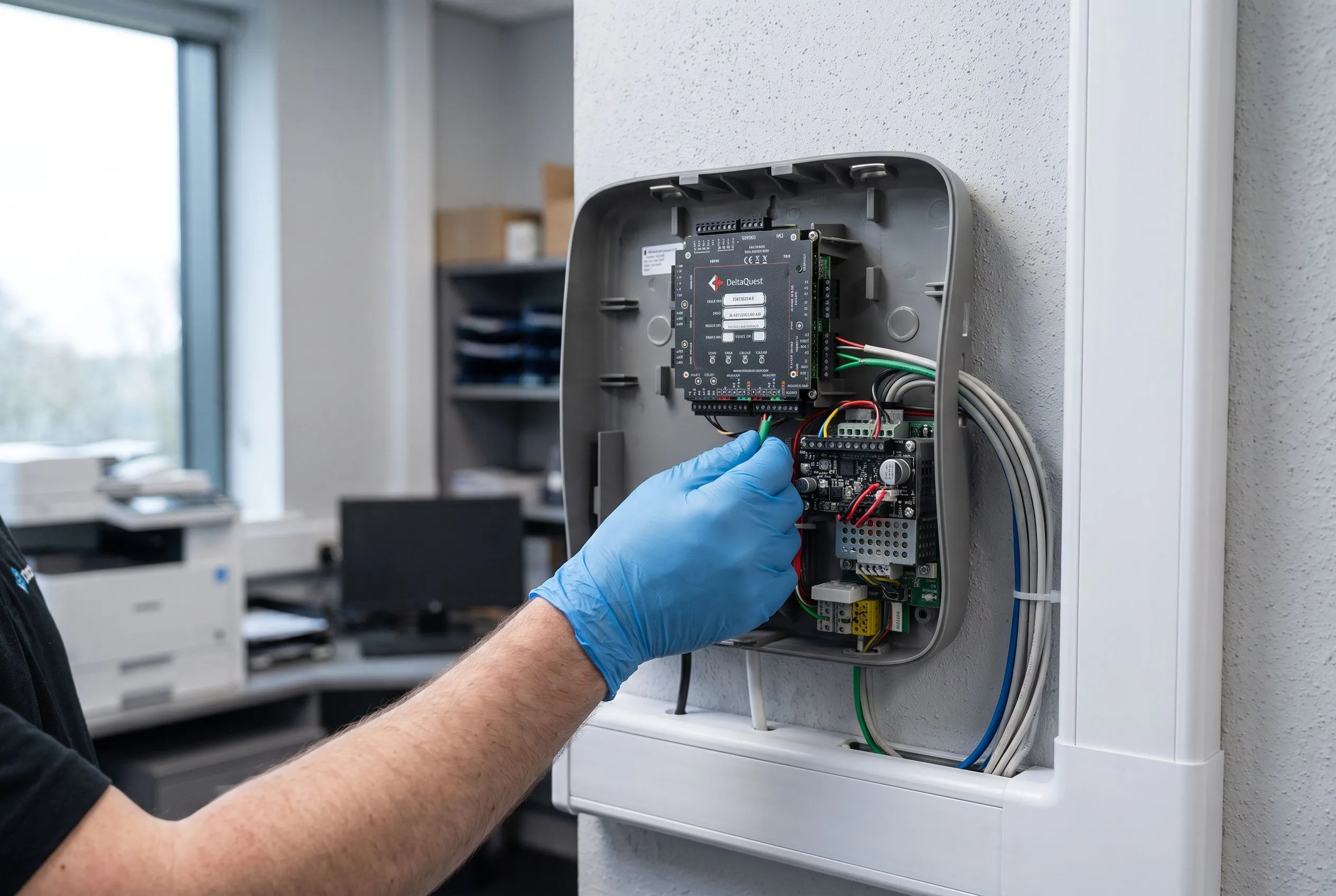
The DeltaQuest PCB module is designed for system integrators and OEM partners who need to embed robust access control functionality into their own enclosures or third-party housings.
This is particularly valuable in leisure facilities, fitness centres, and membership-based venues where existing IT infrastructure or bespoke cabinet designs must be maintained. The compact 125.5mm × 125.5mm form factor allows placement in control panels, kiosks, or custom-built reception desks without compromising functionality.
Installation teams working with golf clubs, social clubs, and corporate wellness centres benefit from the flexibility to integrate the controller directly into turnstile pedestals or barrier housings.
The module supports both USB and TCP/IP connectivity, enabling deployment in facilities where network infrastructure varies across entry points. When combined with membership management software such as Gladstone or Legend, the DeltaQuest PCB transforms standard entry barriers into intelligent member verification stations.
The DeltaQuest PCB supports most reader technologies including Wiegand (26/34-bit), Clock & Data, and RS232 formats. It provides 12V DC or 5V DC power to connected readers (200mA max at 12V).
A single USB port or TCP/IP network connection can manage up to 32 access points using DeltaQuest modules in a master/slave RS485 configuration with cable runs up to 1200m.
The DQ-S2-PX requires an external 12V DC power supply capable of delivering 1A maximum. The board itself draws approximately 200mA at 12V DC during typical operation.
Yes, it is compatible with leading membership management platforms including Gladstone Health & Leisure, EZ Runner, Legend, and SDA Software, plus any system that can issue simple serial commands.
Each reader interface provides a voltage-free changeover relay rated at 2A @ 30V DC for barrier control, plus an auxiliary open-collector output for DVR triggering or card capture devices.
No. Nortech runs no cloud. DeltaQuest sits at the venue and talks to your software over TCP/IP or USB serial, and your platform stays the system of record. There is no second member database to keep in sync.
DeltaQuest has an offline mode. How each access point behaves while the link to your software is down is agreed per site at setup.
Yes. Dynamic QR codes work as they are: your app issues a code that lives for 30 to 60 seconds, DeltaQuest passes it through the instant it is scanned, and your platform matches it to the member who generated it. DeltaQuest does not report the credential type, so if you issue cards as well, prefix the QR payload so your platform can tell them apart. Existing static barcodes keep working.
Any reader with a standard output (Wiegand, Clock & Data or RS232), including QR and wallet-pass readers, and any turnstile, door or barrier driven by a relay. Each DeltaQuest module runs two readers and two relays, and up to 32 access points sit on one host connection.
Case studies
The client Newport Live is a charitable trust which provides sporting, leisure, theatre and cultural activities in...
Read moreThe client The Haulfryn Group is one of the UK's largest family owned groups of prestigious holiday and residential...
Read moreThe client The Glenmorangie Company Limited, a leading highlands based scotch whisky producer with over 160 years...
Read moreFree product training from our UK-based support engineers, who support every product we manufacture and distribute. Whether you're specifying for the first time or adding to your portfolio, we'll get your team up to speed fast.
The DQ-S2-PH DeltaQuest Universal OEM 2-Door Access Controller is supplied in an attractive housing with integral 12V…
› View DetailsDQ-SW-01 DeltaQuest Configuration and Diagnostic Software is used for configuring and testing DeltaQuest access contr…
› View DetailsSecure, single door self-contained access control system. A compact one-piece proximity card reader/access control…
› View DetailsDesigned to fit most architectural and interior design settings, with the robust ABS polycarbonate construction th…
› View DetailsWe're here to help
Call +44 (0)1633 485 533 or Email Us
.Cc7s-SoI_Z2fTFEU.webp)