Nortech — People & Vehicle Access Solutions

Solutions

Car park access control systems for staff, tenant and visitor parking

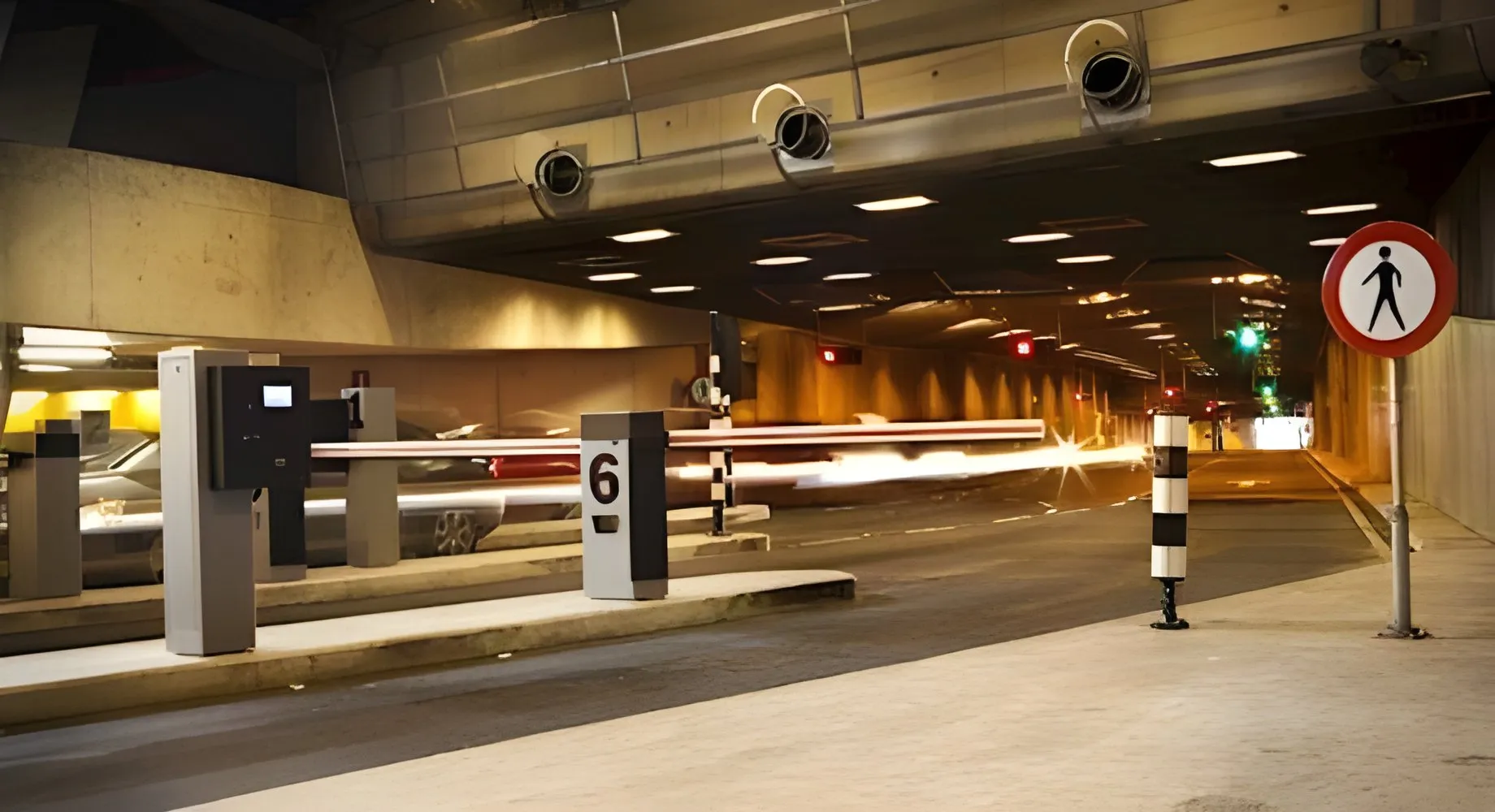
A car park access control system decides which vehicles get past the barrier of a private car park, identifying each one by a windscreen tag, number plate, card or QR code and opening only for the people allowed to park there at that time. We supply the parts that make the decision, the controllers and readers we design and manufacture in South Wales, Norpass3 software, and the Nedap long-range readers and ANPR cameras we distribute and support, for installers to fit alongside the barrier of your choice.
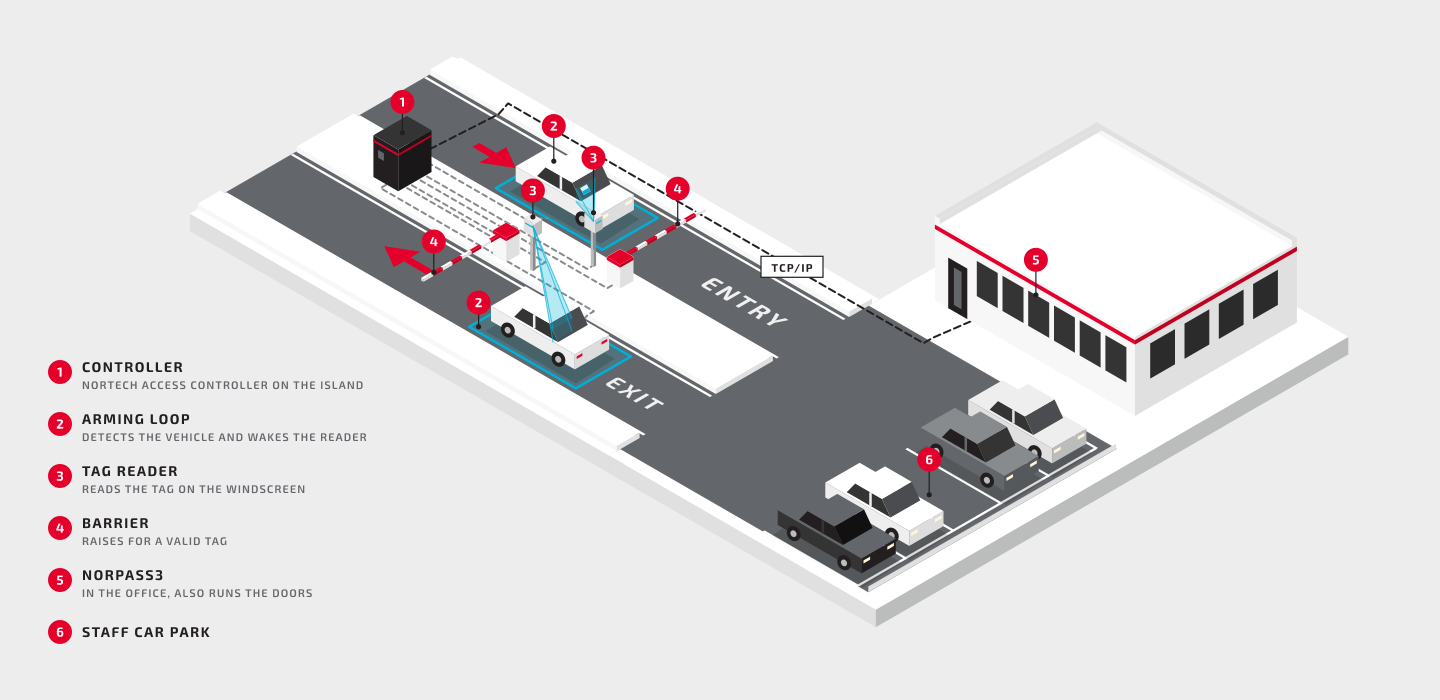
Car park access control system diagram: entry and exit lanes into a staff car park, each with an arming loop, a tag reader on the driver's side and a barrier, all cabled to a controller that connects over TCP/IP to Norpass3 in the office

What is a car park access control system?

A car park access control system controls which vehicles can enter and leave a private car park. A reader at each barrier identifies the vehicle or its driver by a windscreen tag, number plate, card, fob or QR code, and a controller checks that credential against the access list before it opens the barrier. It is how staff, residents' and tenant car parks are kept for the people entitled to use them without a manned gatehouse.
How a car park access control system works

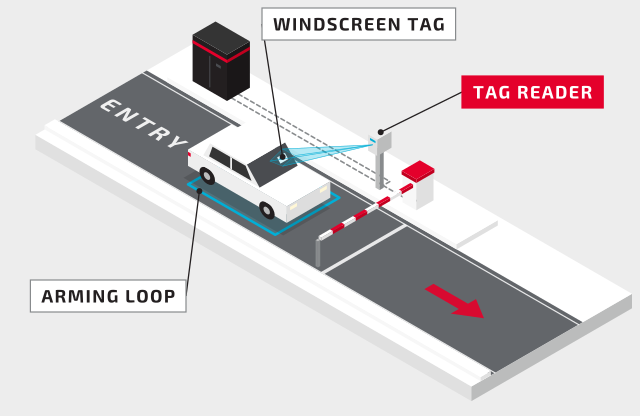
  1. Step 1 of a car park access control system: a tag reader beside the lane reads the windscreen tag of a car waiting on the arming loop at a closed barrier 1

    The reader identifies the vehicle

    As a vehicle drives onto the arming loop in front of the barrier, a long-range reader beside the lane reads its windscreen tag at up to 10 metres. The loop arms the reader, so it only reads when a vehicle is in the lane.
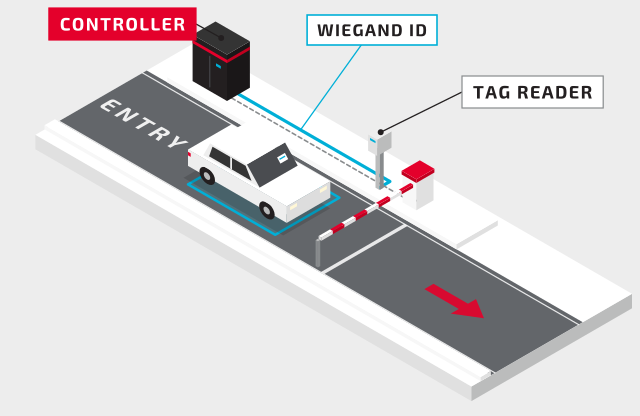
  2. Step 2: the tag reader sends the tag number to the controller as a Wiegand ID 2

    The ID goes to the controller

    The reader sends the tag's number to the controller as a Wiegand ID, the format a card reader uses. A number plate read by an ANPR camera, or a card, fob or QR code shown at a reader on a post, reaches the controller the same way.
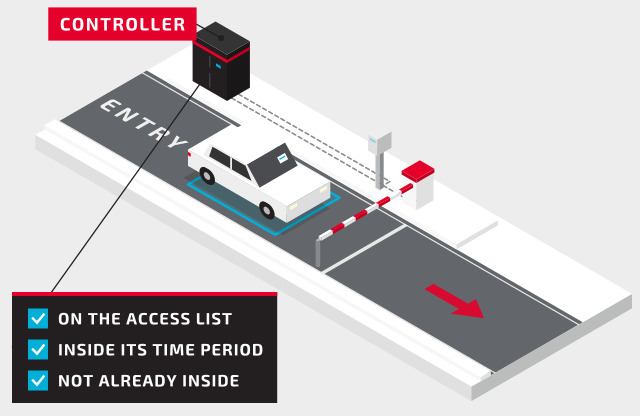
  3. Step 3: the controller checks that the ID is valid, inside its time period and not already recorded inside 3

    The controller checks the access rights

    The controller checks that the ID is on its access list and inside the time periods when that driver may park. With anti-passback on, it also checks the vehicle isn't already recorded inside, so one tag or card can't let in a second car.
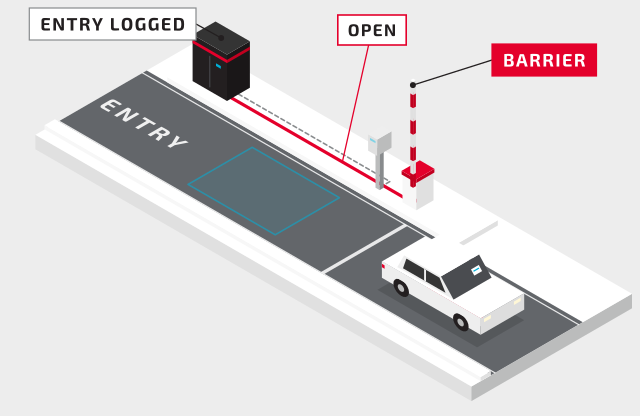
  4. Step 4: the controller opens the barrier and the car drives into the car park, leaving the arming loop clear 4

    The barrier opens and the entry is logged

    The controller's latch relay, rated at 2 A at 30 V DC, gives the barrier its open signal and the entry is logged against the driver or vehicle. An exit reader does the same on the way out, which keeps anti-passback and any space count right.

If the site doesn't need to know who has left, a free-exit loop on the exit lane can open the barrier through the controller's request-to-exit input instead of a second reader. Anti-passback and tenant allocations need a reader on the way out as well.

Tags, number plates or cards: choosing how drivers are identified

Every lane needs a way of identifying who is arriving. The choice comes down to who parks there, how often they come, and how much the site wants to issue and recover.

Long-range tagsNumber plates (ANPR)Cards or fobs at a postQR codes and smartphones
What the driver doesNothing: the tag is read as the vehicle approachesNothing: the plate is read as the vehicle approachesStops and holds the card to a reader by the windowStops and shows the code or phone to the reader
Read rangeUp to 10 metres (uPASS Go)2 to 10 metres (ANPR Lumo)Up to 50 mm (VP1)QR codes at the reader; Bluetooth up to 15 metres, depending on the app (NVITE)
What you issueA windscreen tag for each vehicleNothing: plates are registered in the systemNothing new if staff already carry a building cardCodes sent by the site's visitor or membership software
SuitsStaff and residents who park every dayVisitors and contractors authorised in advance, and changing fleetsSites that already issue staff cards, and quieter lanesVisitors, members and one-off events

Many sites mix them: tags for the staff who park every day and number plates for everyone else. Our blog compares the two in long-range RFID vs ANPR, and the ANPR access control system page covers plates in detail.

Staff, visitors and contractors

  • Access levels and time periods: each driver can park only in the hours set for them, so a contractor's tag stops working when the job ends and weekend access can be limited to named staff.
  • Visitors by number plate: with ANPR at the entrance, a visitor's plate can be added before they arrive, for a set day or time, without the vehicle being present.
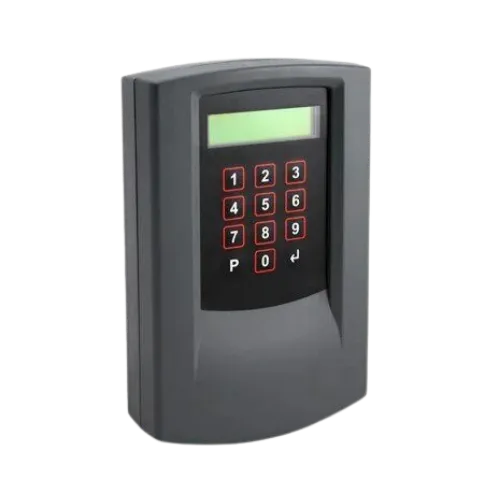
  • Visitor PINs: a keypad at the entrance and exit lets visitors in with a PIN. The CPC202 and CPC204 hold 8 visitor PINs, each with its own access rights and tenant group, which also covers staff who have lost a card.
  • Exit cards: with a keypad at the entrance and a card capture reader at the exit, visitors are handed a single-use exit card, which the reader collects on the way out for reuse.
  • QR codes: the NVITE reader reads QR codes sent by the site's visitor or membership software, as well as cards, fobs and smartphones.
  • Anti-passback: once a tag or card has been used to enter, it can't be used to enter again until it has been read out, so one credential can't let in a queue of cars. Our blog explains how in anti-passback access control.

Shared car parks: an allocation of spaces for each tenant

Where several companies share one car park, a CPC204 shared occupancy controller gives each company its own allocation of spaces. It counts each company's vehicles in and out and stops a company entering once its allocation is used up, while the others can still park. A CPC202 does the same for two companies, or keeps a single company's car park from overfilling.

  • Groups: up to four on the CPC204 and two on the CPC202, with up to 9,999 users per group and 65,000 sequentially numbered cards or 8,000 random ones in total. Any card or tag can be assigned to any group.
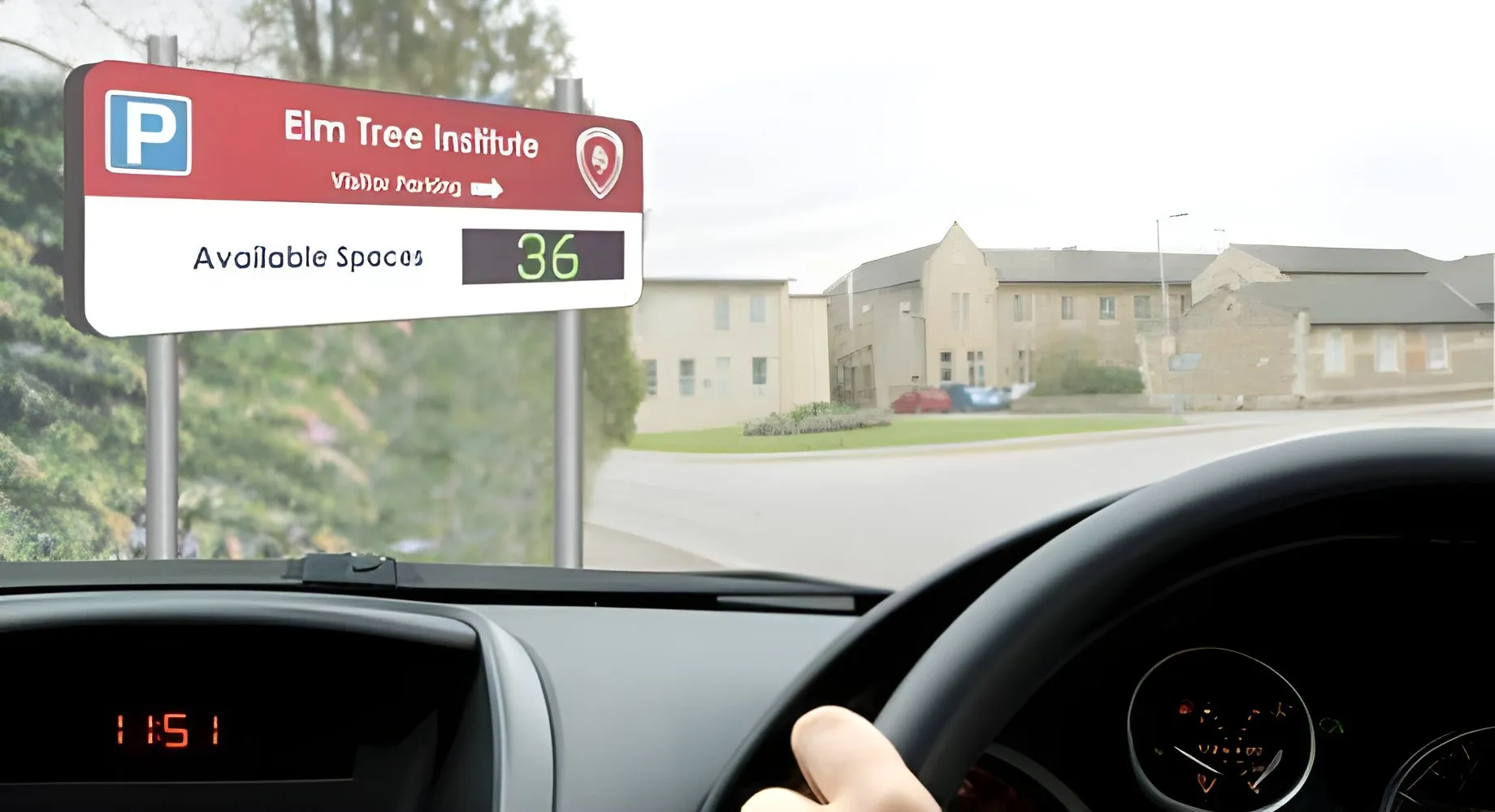
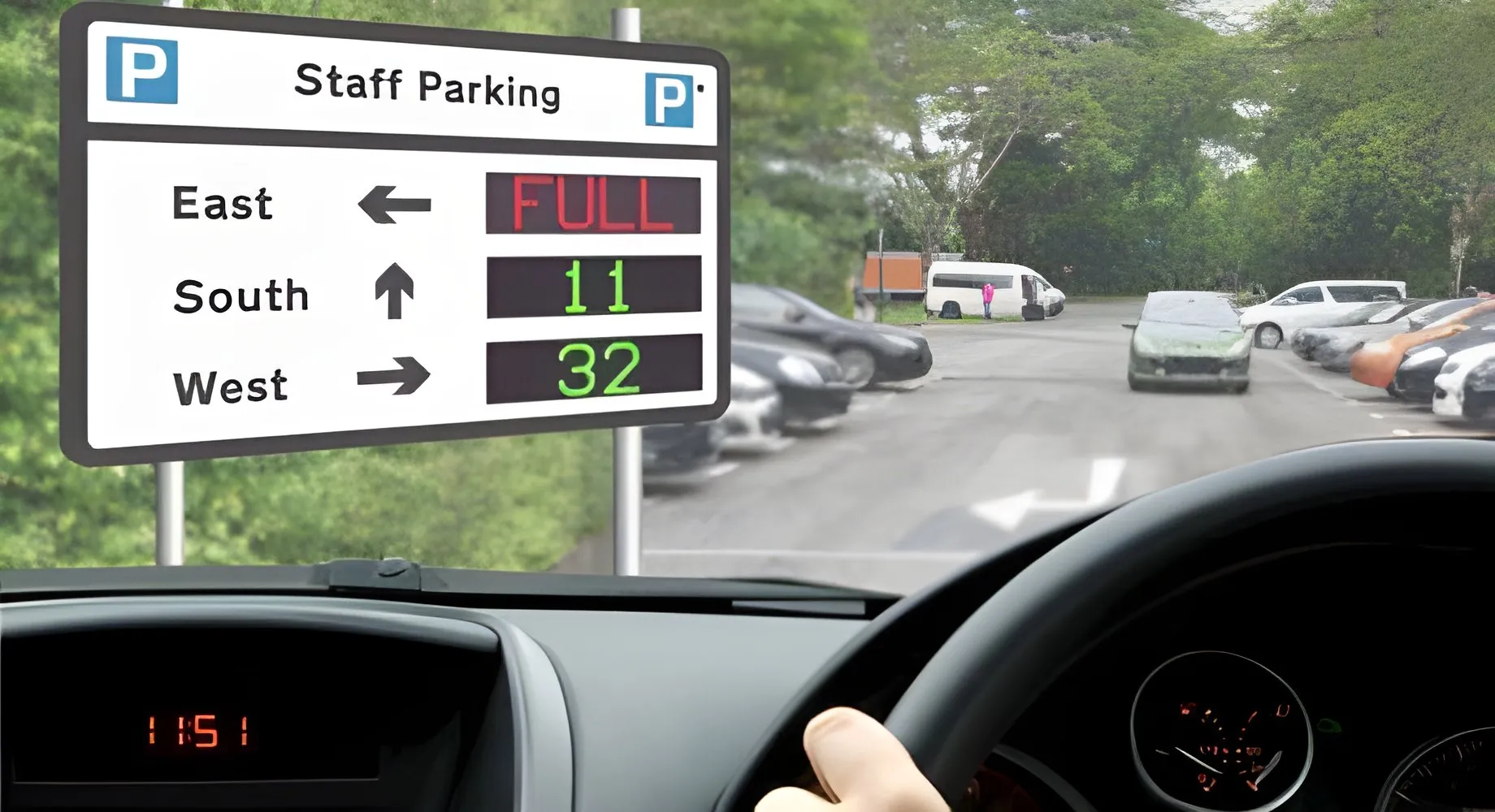
  • Signs for each group: up to four message signs show each group's spaces or FULL, and four outputs switch Space/Full signs or traffic signals at the entrance.
  • Counting: from the entry and exit reads alone, or from each read confirmed by a loop or beam beyond the barrier, which keeps the count right when a driver presents a card but doesn't drive through.
  • Programmed at the controller from its keypad and display, with no PC. Group counts can reset automatically at a set time each day, or from a button in the office.

An intercom that opens the barrier remotely doesn't work with shared counting, because the controller can't tell which group the visitor belongs to; use visitor PINs or exit cards instead. More than four groups can be handled by two controllers reading the same lanes, and our technical team checks those designs before installation.

One system for the building and the car park

The controllers that run the barriers are the same ones that run the doors, so a site on Norpass3, our licence-free access control software, manages its car park and its building in one system, with every entry and exit logged against the person or vehicle alongside the door events.

  • CRC221-1 controls one barrier with a reader in and a reader out. The CRC220-4 controls up to four barriers or doors with read-in and free exit.
  • One card for the door and the car park: a card reader on a post at the barrier accepts the same staff cards as the doors. For hands-free entry with that card, the Nedap Transit Booster holds the driver's building card on the windscreen; the Transit Ultimate reads the card and the vehicle together at up to 10 metres, and the card comes out again for the doors.
  • Standalone: for a single entrance, the CRC200+ handles an entry and an exit reader for up to 65,000 users, with anti-passback, programmed from its own keypad. It can join Norpass3 later over RS485.

Equipment at the barrier

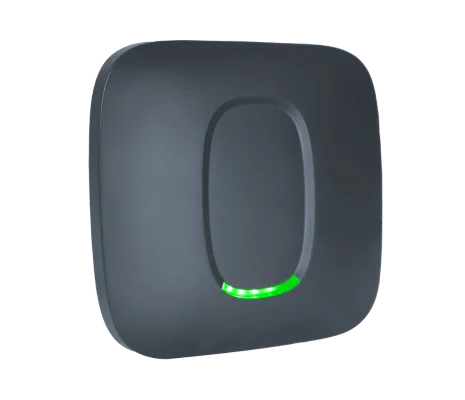
  • Tag readers: the Nedap uPASS Go, which we distribute and support, on a post or wall beside the lane: passive UHF, up to 10 metres, IP66, −30 to +60°C. The UHF windscreen tag is a thin adhesive sticker, with a tamper-evident version that shows if it has been removed.
  • Card readers: the VP1 vandal resistant reader, designed and manufactured in South Wales, is housed in marine-grade stainless steel and works outdoors from −30 to +50°C.
  • ANPR: the Nedap ANPR Lumo in one of our stainless steel posts; the SSDP-ANPR adds red and green traffic lights driven at 24 V.
  • Arming loops: a loop in front of each reader, on one of our loop detectors, arms the reader so it only reads when a vehicle is there, which avoids stray reads of passing or parked cars.
  • Controllers are rated for 0 to 40°C, so they go indoors, in a gatehouse or in a cabinet that stays in that range, with reader cable runs of up to 100 metres.
  • Barriers and gates come from the barrier manufacturer, with their own safety loops. The car parks in our case studies use CAME and FAAC barriers.

Works with your barriers and existing access control

The controllers give the barrier a clean relay contact to open, so they work with most barriers and gates. In the other direction, every reader on this page sends Wiegand or clock and data, the formats most access control panels accept, so the uPASS Go or ANPR Lumo can be added to a system the site already runs. At George Spencer Academy, Advanced IT Services added Nedap ANPR to the school's existing Paxton Net2 system this way.

To show drivers the spaces left, or hold the barrier once the car park is full, add counting: see car park counting and guidance, or the ANPR car park barrier system for number plates and counting together.

What affects the cost of a car park access control system

  • The number of entry and exit lanes, and whether exits are read or free exit
  • The credential: a tag for every vehicle, a camera for every lane, or the cards staff already carry
  • Standalone control with a CRC200+ or CPC controller, or Norpass3, which is licence-free
  • Tenant allocations, signs and visitor keypads in a shared car park
  • New barriers or reusing the ones on site
  • Loops, ducts and cabling between the lanes and the controller

Our blog breaks down how much an access control system costs and how much an ANPR system costs. We supply through installers and distributors, so the price for your car park comes from the installer after a survey. Our sales team can help put the equipment list together: sales@nortechcontrol.com.

Applications

  • Staff car parks at offices, factories and depots
  • Business parks and car parks shared by tenant companies
  • Residential estates and apartment car parks
  • Hospitals and emergency service sites
  • Schools, colleges and university campuses
  • Caravan, boat and vehicle storage sites

Benefits

  • Keeps the car park for the people entitled to park there
  • Lets staff and residents drive in without stopping
  • Uses the same cards and software as the building's doors
  • Gives each tenant its own share of a shared car park
  • Lets visitors in by plate, PIN, QR code or exit card without a manned gatehouse
  • Records every vehicle in and out

Case study

Exeter Science Park: windscreen tags for staff, number plates for visitors

Exeter Science Park, a 26-hectare business park beside junction 29 of the M5, has two entry lanes and three exit lanes. The park wanted staff out of barrier control, shorter queues at the barriers and better reporting on who came and went.

Newpark Solutions fitted every lane with a barrier, a Nedap uPASS long-range tag reader and an HD ANPR camera. Staff with windscreen tags are read as they approach, and the barrier opens in about 3 seconds. Staff without tags, tenants and expected visitors are registered by number plate, so they drive in without pressing the intercom.

Installed by Newpark Solutions

Read the full case study ›

Car park access control FAQs

How does a car park access control system work?
A reader at the barrier identifies each vehicle or driver by a windscreen tag, number plate, card or QR code and sends the ID to a controller. The controller checks the access list and the time periods, then opens the barrier and logs the entry. An exit reader does the same on the way out.
Tags, number plates or cards: which is best for a staff car park?
Long-range windscreen tags suit staff who park every day, because nobody has to stop and the tags are inexpensive. Number plates suit visitors and contractors who can be added in advance, and cards suit sites whose staff already carry them. Many sites use tags for staff and ANPR for everyone else.
How do visitors get into a car park with access control?
Add their number plate in advance if the entrance has ANPR, give them a PIN for a keypad at the entrance, or send a QR code from the visitor system to an NVITE reader. Sites without any of these keep an intercom so reception can open the barrier, except in shared car parks, where it would upset the tenant counts.
Can several companies share one car park with their own spaces?
Yes. A CPC204 shared occupancy controller gives up to four companies their own allocation of spaces, counts each company's vehicles in and out, and stops a company entering once its allocation is full while the others can still park.
Can the same card open the car park barrier and the office doors?
Yes, when the barrier and the doors run on the same access control system, such as Norpass3. Staff hold the card to a reader on a post by the barrier, or put it in a Transit Booster on the windscreen so it is read hands-free with the vehicle.
Is a car park control system the same as car park access control?
Not always. Car park control can also mean pay parking, parking enforcement or space counting. Car park access control is the part that decides at the barrier who may enter; counting and space signs can be added to it, while payment and parking charge notices are separate systems.
How much does a car park access control system cost?
It depends on the number of lanes, the credential (tags, cameras or cards staff already carry), standalone or networked control, tenant allocations and signs, the barriers and the groundworks. The price for your car park comes from the installer after a survey.

Related solutions

Related products

New

Nedap uPASS Go

Based on battery-free passive UHF technology, the uPASS Go reader provides a cost-effective solution for convenient vehi…

› View Details

Request Quote

Solution: Car Park Access Control

Loading the form…

We're here to help

Call +44 (0)1633 485 533 or Email Us